Healthcare · Munich · end-to-end practice
One practice, two patient journeys.
SmartPraxis is a Munich general-medicine practice rebuilt around two journeys: #gesundwerden for acute and reactive care, #gesundbleiben for prevention and long-term health. Everything else follows from that split.
- ROLE
- Product Designer
- WHEN
- Feb 2025 – Aug 2025 · Munich
- SCOPE
- IA · booking flows · video consultation · content · patient app
- TOOLS
- Figma · Figma Make · Claude · Jira
- PRODUCT
- smartpraxis.de
/01 — the situation
One booking queue for four different visits.
German Hausarzt practices run on fragmented tooling and paper-heavy admin under Telematikinfrastruktur and eRezept rules. A one-size-fits-all booking page mixes acute, chronic, preventive and family visits into a single queue — eroding capacity and patient satisfaction.
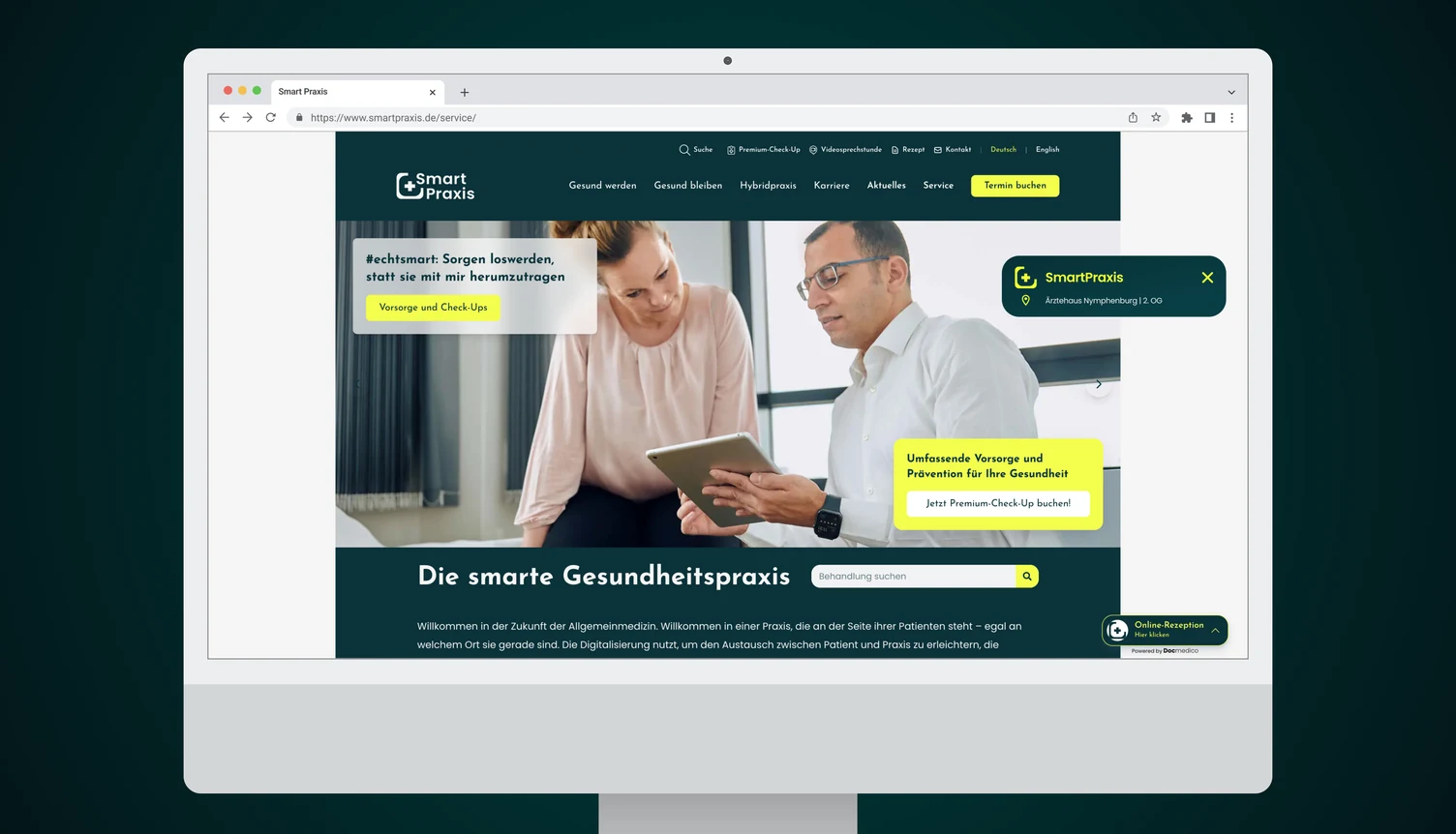
There was also no native mobile surface, so nothing kept patients engaged between visits — which matters most for exactly the preventive and chronic care the practice wanted to grow.
/02 — my role
Segment the queue, then build around it.
I was the product designer on Smart Praxis. I designed its information architecture, the six segmented booking flows, the video consultation, the content layer and the patient app.
An end-to-end digital practice on top of arzt-direkt.de with six segmented booking flows — acute, follow-up, preventive check-up, vaccination, chronic/HZV and family — plus open video consultations, digital follow-up prescriptions, and a content layer that markets the HZV Hausarztprogramm as a loyalty model.
The two-pillar architecture is the load-bearing decision. Once #gesundwerden and #gesundbleiben exist as separate journeys, the booking flows, the content and the app navigation all have an obvious place to live.
The system extends into a native patient app for iOS and Android, in development, covering booking, video calls, prescriptions and records under the same information architecture.
Split the journey before designing the screens
Segmenting demand is an information-architecture decision, not a scheduling feature.
- CHOSE
- Two named patient journeys as the top-level structure
- OVER
- A single booking page with filters and categories
- COST
- Every new service has to be assigned to a pillar, and some genuinely straddle both
/03 — the booking assistant
Ask two questions before offering a slot.
Segmenting demand only works if the segmentation happens before the calendar opens. The assistant asks what the visit is for and how the patient is insured, then shows only the appointment types that actually apply — with duration and constraints stated up front.
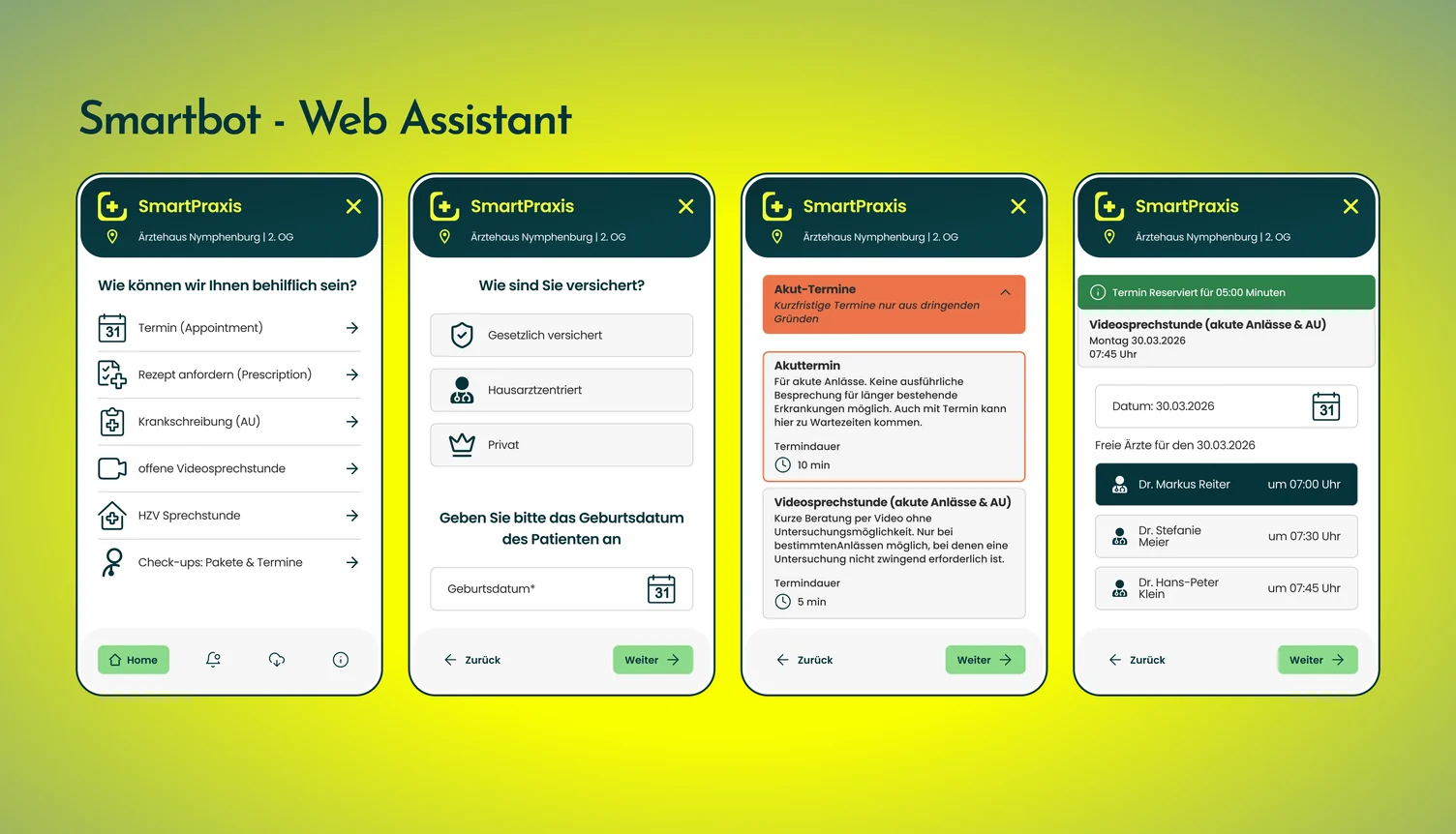
The five-minute hold on the chosen slot is the small detail that decides whether the flow works: without it, two patients race for the same time and one of them is told no after entering their details.
Stating what an appointment type cannot do — no examination in a video consultation, no long-standing complaints in an acute slot — is what keeps the segmentation honest. A queue only stays sorted if patients can sort themselves correctly.
/04 — the patient app
The practice, between visits.
A website ends when the tab closes. The native app is where the prevention pillar actually lives — the part of the relationship that has to survive the months when nobody is ill.
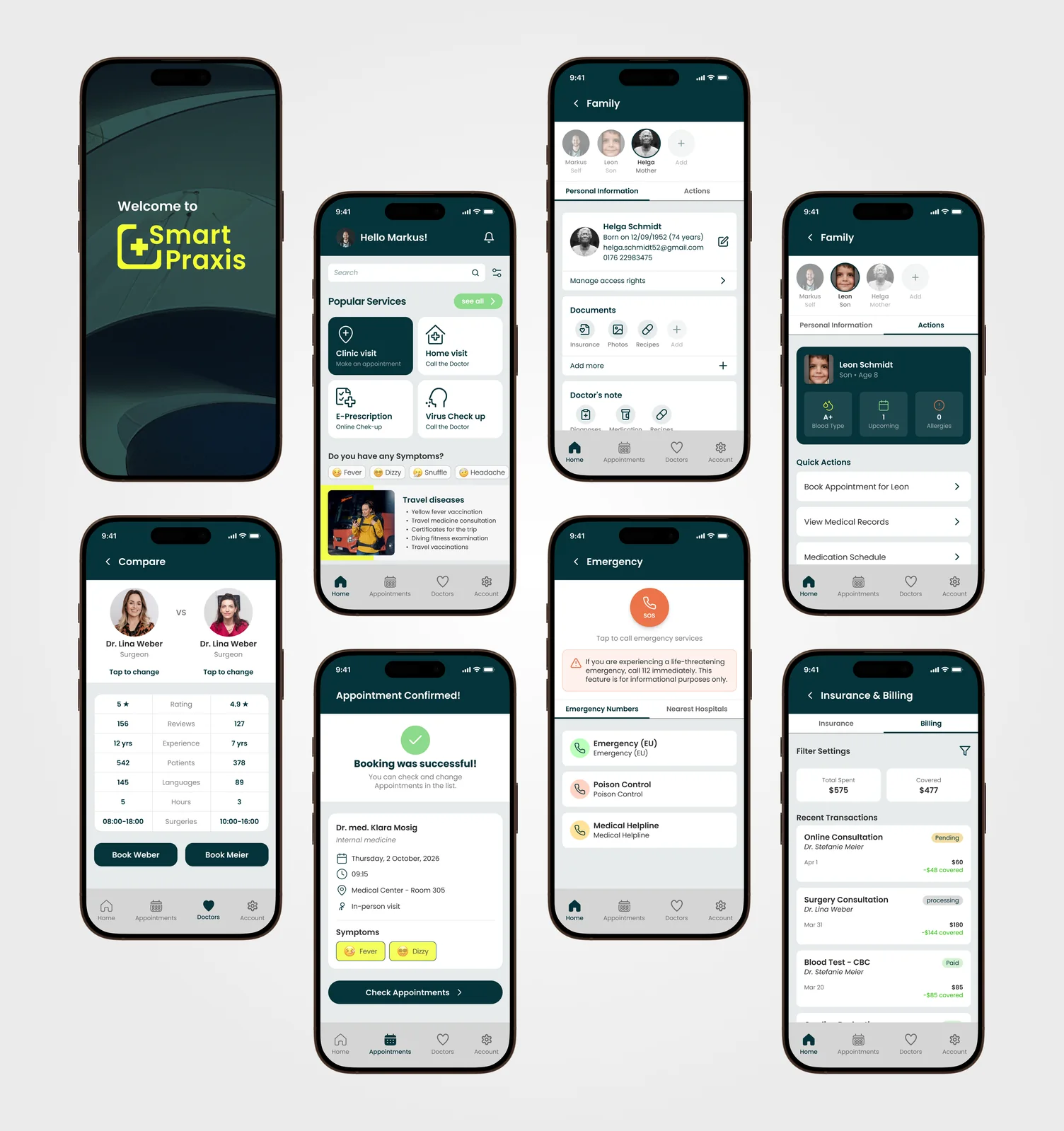
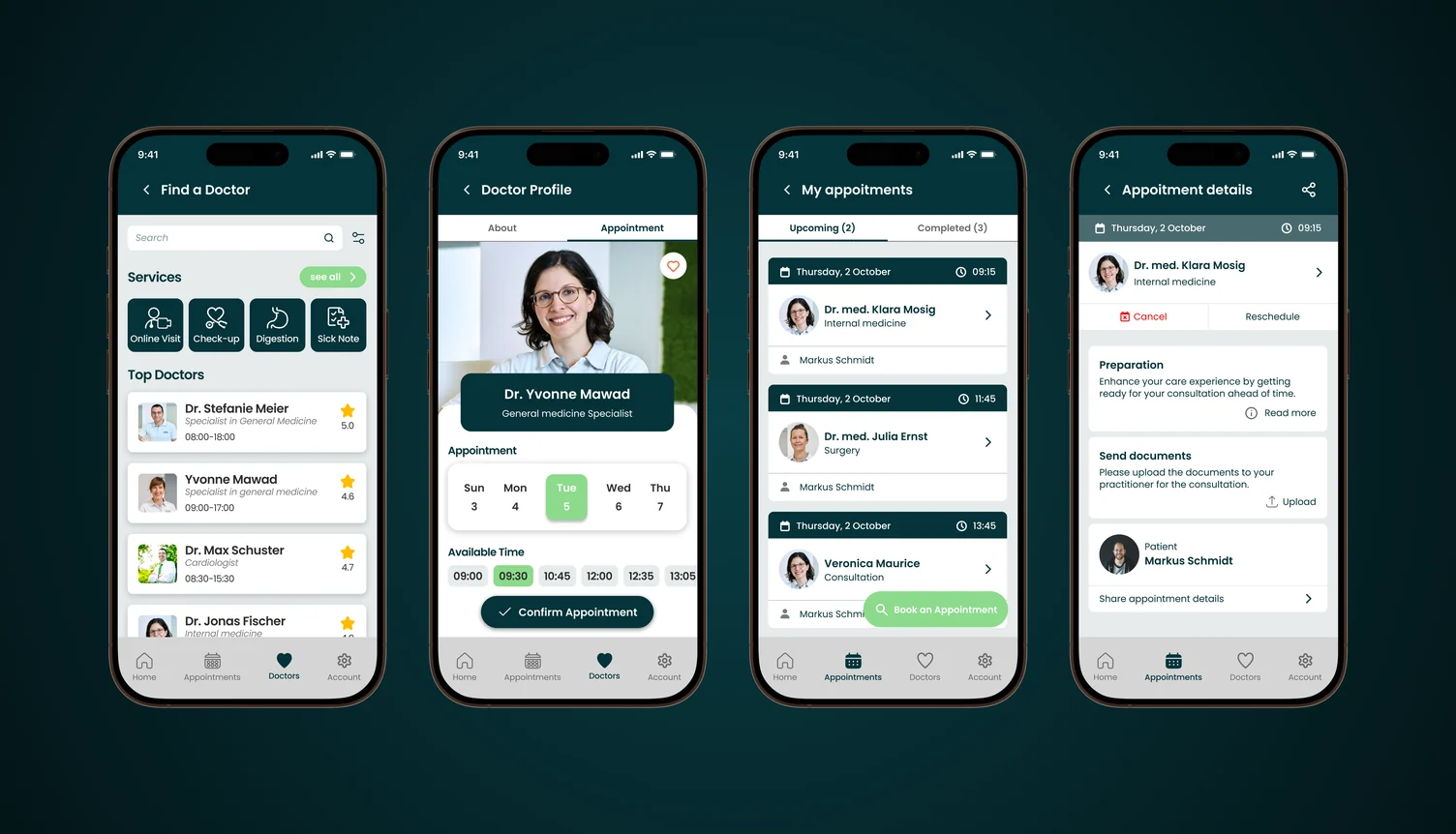
Insurance and billing carry the German reality: what was spent, what the insurer covered, and what is still pending — the questions a Hausarzt practice answers by phone every day.
The app is in development for iOS and Android; the screens here are the designed system, not a shipped store listing.
/05 — outcome
A digital practice, live.
- Two-pillar practice architecture live — #gesundwerden / #gesundbleiben
- Six segmented booking flows shipped on arzt-direkt
- Open video consultation and digital follow-up prescriptions live
- HZV Hausarztprogramm productised as a patient-loyalty offer